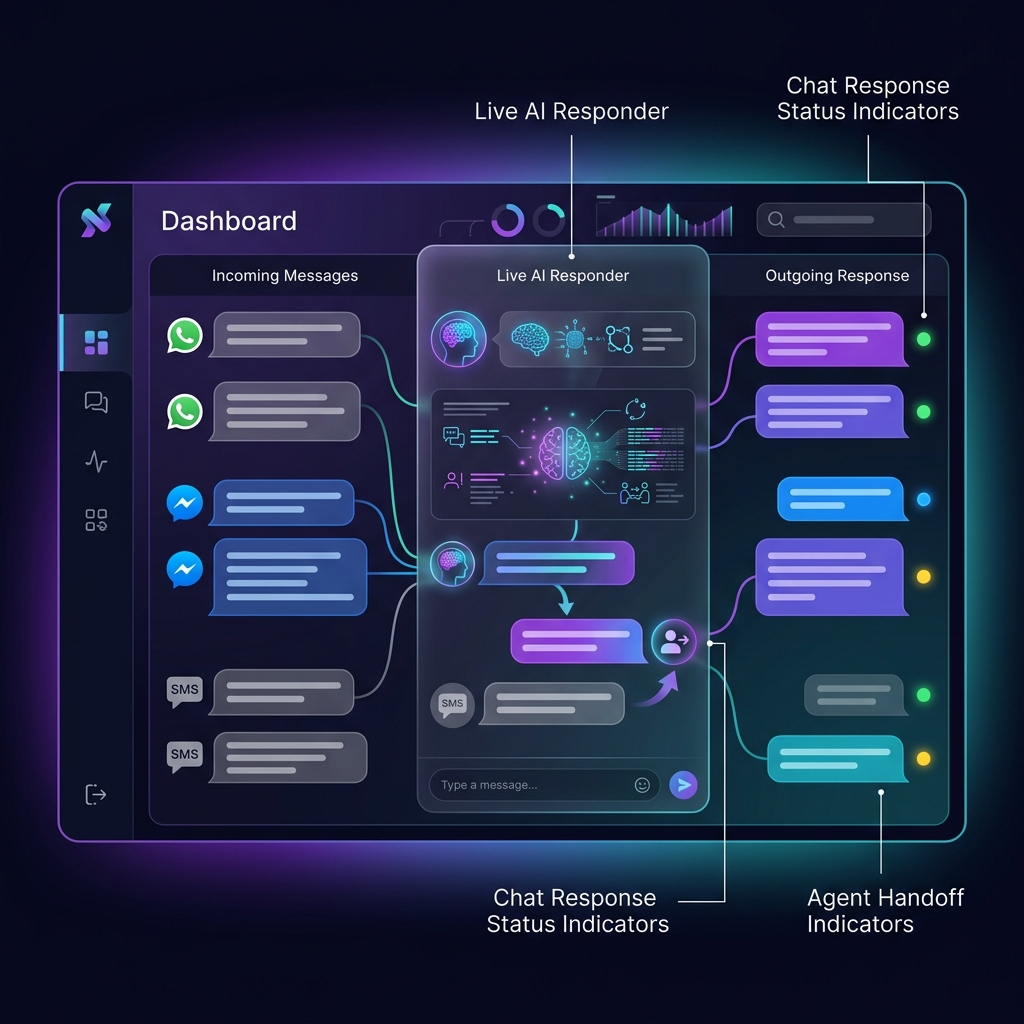
Conversation capabilities
Design messaging workflows that can understand requests, use approved tools, and involve your team when necessary.
Apply business instructions and knowledge context to support natural, structured customer conversations.
Connect approved APIs to search products, check orders, create tickets, capture leads, or trigger workflows.
Route a conversation to a live agent when the customer requests help or the automation cannot complete the task.
Use channel-approved formats for confirmations, reminders, service updates, and other permitted outbound messages.
Use language models and translation providers selected for the languages required by your customers.
Keep message and handoff context available to the configured workflow and agent experience.
E-commerce automation
Connect NextGenSwitch to commerce tools so the assistant can work with product, customer, order, and delivery information.
Search products by name, description, identifier, or supported image-matching workflow.
Answer questions using current product, availability, price, and policy data returned by the connected store.
Create or update a cart, capture order details, or hand the customer to a person for completion.
Check order and delivery status, confirm information, and route exceptions to the appropriate team.
Commerce actions require a compatible connector or tool API. WooCommerce, Shopify, or another platform can be integrated according to its available APIs and permissions.
Common workflows
Product discovery, availability, order confirmation, tracking, returns, and escalation.
Ask structured questions, capture requirements, and route qualified prospects to sales.
Answer routine questions, gather troubleshooting details, create tickets, and hand off complex cases.
Collect preferred times, confirm appointments, send reminders, and process supported changes.
Send approved confirmations, alerts, delivery updates, and other transactional messages.
Collect structured responses and route negative or urgent feedback to a human team.
Flexible architecture
Connect channel providers, AI models, business systems, and agent operations around your requirements.
Implementation path
Configure the approved channel account, credentials, webhooks, and message rules.
Set the assistant’s role, knowledge, tone, boundaries, and escalation behavior.
Add only the APIs and permissions required to complete the selected workflow.
Validate replies, actions, handoffs, errors, and channel policies before adding more scope.