Core Platform Features for Modern Voice Operations

NextGenSwitch combines PBX, contact center, AI voice automation, and API-driven workflows in a single platform. Use self-hosted infrastructure while keeping full control over routing, compliance, and scale.

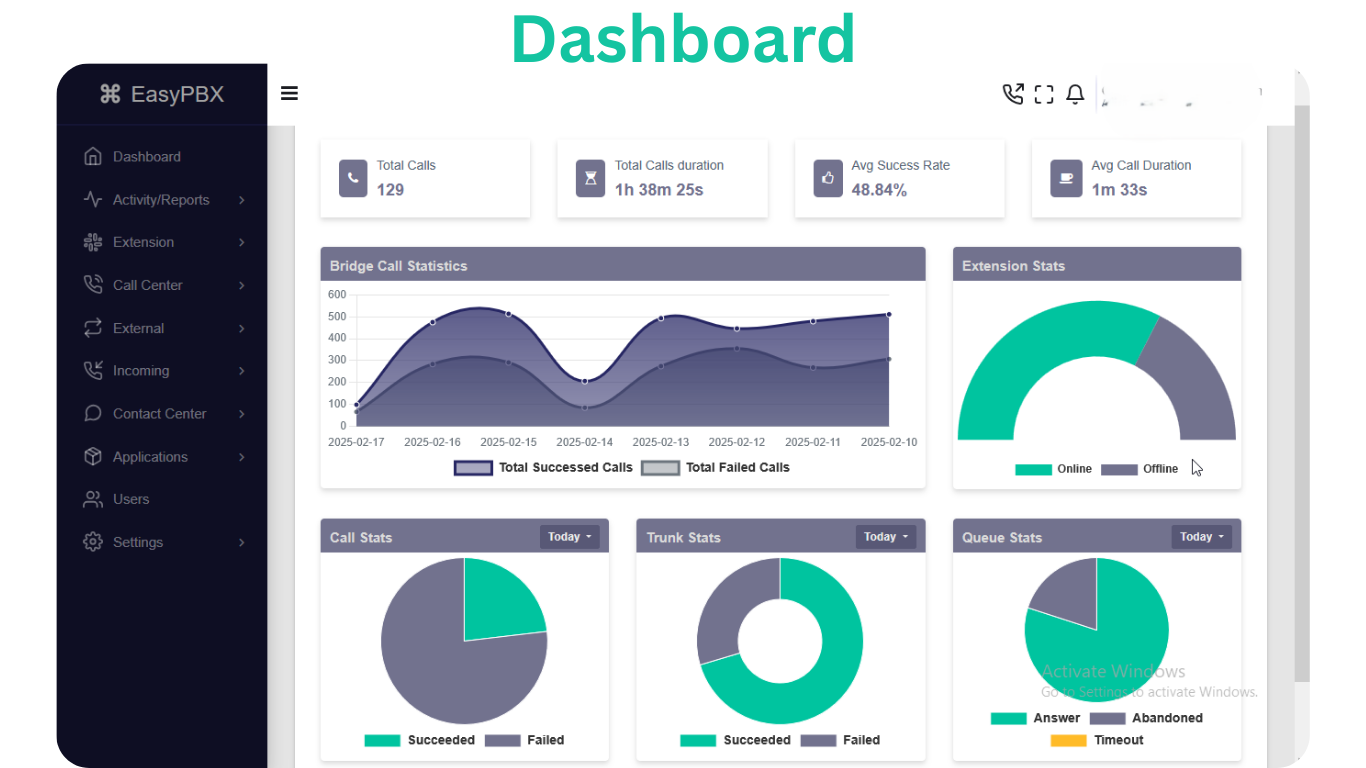
NextGenSwitch feature dashboard

Core Platform Capabilities

NextGenSwitch is organized as production-ready modules so teams can start fast, scale cleanly, and keep operations maintainable.

Module-Level Features from Documentation

Each feature module has setup guidance, workflow steps, and operational tips in the docs. Browse by module to plan deployment and implementation.

Extensions

Manage user and device SIP credentials with extension codes, security controls, and optional forwarding.

  • Softphones - Enter SIP username/password plus the PBX domain (sip.company.com) and port 5060 (UDP). Enable STUN if users are remote.
  • Desk Phones - Configure SIP Server, User ID, and Password in the phone's web UI; reboot to apply.
Read Extensions Docs

Hotdesks

Configure shared SIP identities for rotating agents and temporary devices.

  • Use location-based names such as Lobby or Frontdesk.
  • Restrict by IP when possible.
Read Hotdesks Docs

Ring Groups

Distribute inbound calls to multiple extensions simultaneously or by strategy with configurable failover.

  • Keep priority lists short. If you need distinct shifts, create separate ring groups and switch them via time conditions.
  • Use the selectpicker search to add dozens of members quickly, then rely on Skip Busy or Allow Diversions only when the team forwarding rules are documented.
Read Ring Groups Docs

Call Queues

Manage inbound waiting lines with announcements, member priorities, timing controls, and failover routing.

  • Complete Queue Basics with a code, optional login/pickup code, display name, ring strategy, and caller ID prefix.
  • Configure prompts under Audio & Experience (whisper, join announcement, music on hold).
Read Call Queues Docs

Inbound Routes

Define DID and caller-ID matching rules that route inbound calls to IVRs, queues, extensions, and more.

  • Route Criteria - Give the route a descriptive name, define the DID pattern, and optionally restrict by caller ID pattern. Wildcards follow Asterisk dialplan syntax (for example, _1800555XXXX).
  • Destination - Choose the module (extension, IVR, queue, and so on) and then the specific record inside that module.
Read Inbound Routes Docs

Outbound Routes

Configure dial patterns, trunk selection, number normalization, and optional failover for outbound calling.

  • Route Details - Provide a descriptive name (for example, US Local - Primary), assign a numeric priority (lower numbers evaluated first), and select one or more trunks. Trunks can be reordered via drag-and-drop.
  • Routing Options - Enable or disable the route, and decide whether calls on this route should be recorded.
Read Outbound Routes Docs

Trunks

Configure SIP trunk connectivity to carriers or peers with credentials, capacity rules, and caller ID behavior.

  • Trunk Overview - Name the trunk (for example, Carrier A - Primary) and specify whether it uses Peer mode. Peer mode exposes host/port fields and typically suits static peers; disable it for registration-based trunks. Enable call recording if required.
  • SIP User Info - Provide username/password credentials. The labels adjust automatically between Remote and Local to reflect peer vs. registered trunks. When editing, leave the password blank to keep the existing secret.
Read Trunks Docs

IVRs

Configure IVR menus with prompts, digit or speech input rules, and fallback destination routing.

  • Identity & Mode - Provide a display name and select the interaction mode (DTMF-only or speech-enabled). Speech modes reveal the Speech Intent Instruction field so you can guide the AI on how to interpret caller phrases.
  • Prompts - Assign uploaded voice files for the main instruction, invalid entry, and timeout prompts. Inline play/stop buttons allow quick verification.
Read IVRs Docs

Announcements

Play voice announcements before sending calls to the next destination.

  • Keep recordings concise and clearly spoken.
  • Use destination fallback if target module is unavailable.
Read Announcements Docs

Campaigns

Automate outbound dial workflows with scripts, schedules, pacing rules, and campaign-level controls.

  • Campaign Basics - Name the campaign and add an optional description so teammates know why it exists.
  • Contact & Script Configuration - Select one or more contact groups, attach the call script agents will follow, and choose outbound caller ID or trunk preferences (if enabled in your environment).
Read Campaigns Docs

Broadcasts

Run unattended high-volume outbound voice outreach with scheduling, retry controls, and answer routing.

  • Broadcast Basics - Provide a clear name and the From number callers will see (DID or authorized caller ID).
  • Contact & Schedule - Select contact groups, choose timezone, define weekdays, and set daily start/end times.
Read Broadcasts Docs

Support Tickets

Centralize customer issue tracking, assignment, and resolution workflows.

  • Use consistent issue categories for reporting.
  • Capture callback number and context clearly.
Read Support Tickets Docs

AI Assistants

AI Assistants (AI Bots) answer calls with conversational AI, tailored prompts, and fallback transfer routing.

  • Identity & Voices - Name the assistant and assign the welcome voice plus optional tones (waiting, inaudible, listening, transfer). Built-in preview controls let you verify recordings instantly.
  • AI Provider Profiles - Select the LLM provider profile (required) that powers conversation logic, along with optional TTS (text-to-speech) and STT (speech-to-text) profiles if you want to override defaults.
Read AI Assistants Docs

Need Help Mapping Features to Your Use Case?

Share your call flow requirements, agent team size, and deployment model. We will recommend the right module stack and rollout plan.