Capability map

Choose the Modules Around Your Call Flows

NextGenSwitch brings PBX, queues, outbound engagement, selected automation, multi-tenant administration, and integration workflows into one modular platform.

Availability, limits, dependencies, implementation, and support vary by module, plan, and deployment.
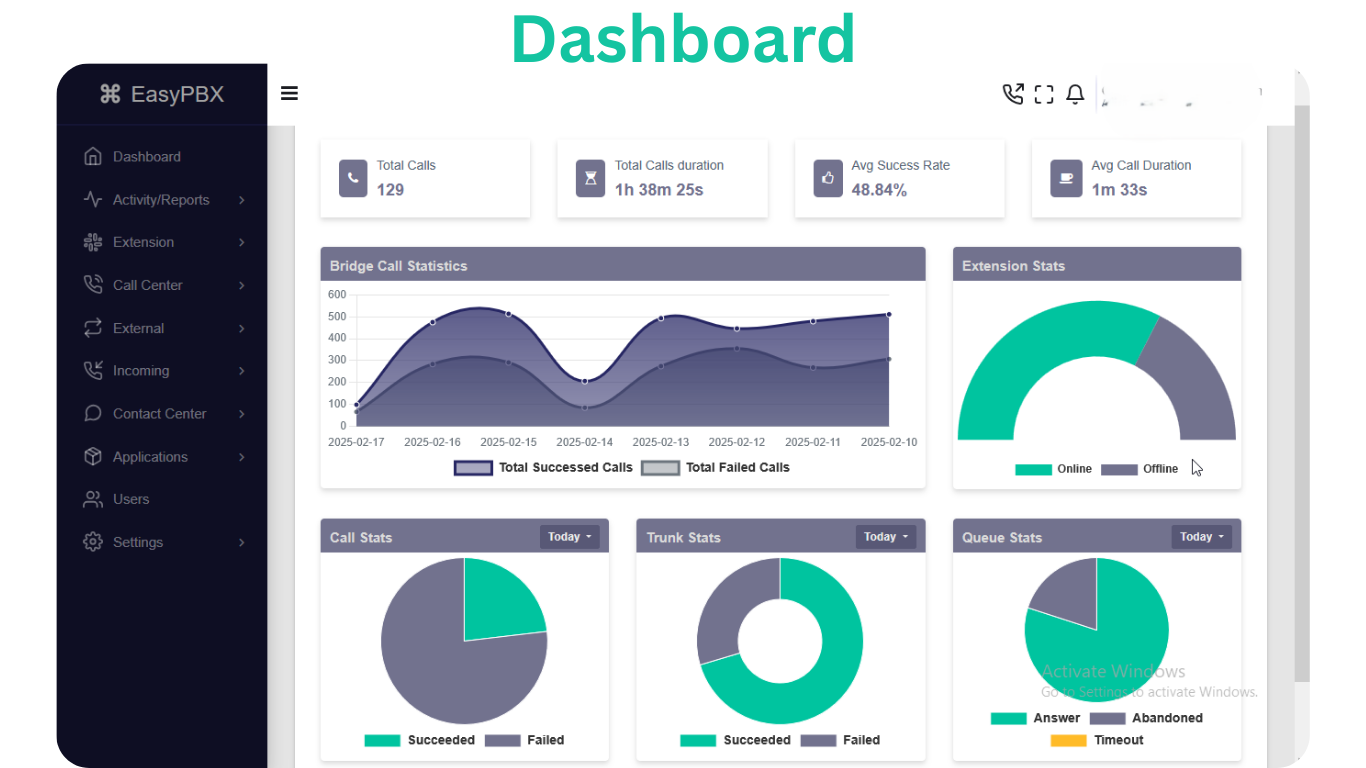
NextGenSwitch administration dashboard

Core capabilities

Map Features to an Operating Requirement

Start with the workflow your team needs to prove, then add modules as requirements become clear.

Business calling

  • Extensions and devices
  • Inbound and outbound routes
  • Ring groups and schedules
  • IVR and announcements
Explore capability

Contact center

  • Call queues
  • Agent and supervisor workflows
  • Routing and failover
  • Support ticket workflows
Explore capability

Outbound engagement

  • Campaign configuration
  • Broadcast workflows
  • Contact groups and scripts
  • Pacing, schedules, and retries
Explore capability

Voice automation

  • AI-assisted call flows
  • Speech and DTMF IVR
  • Provider profile connections
  • Fallback and human transfer
Explore capability

Multi-tenant operations

  • Tenant administration
  • Delegated workflows
  • Brand and customer separation
  • Shared platform operations
Explore capability

Integration and APIs

  • Programmable voice events
  • Business-system connections
  • Custom workflow logic
  • Operational data exchange
Explore capability

What sits outside the platform

Features Depend on the Surrounding Stack

A feature can be present in the application and still require external services, infrastructure, configuration, policy decisions, and testing before it is ready for a live workflow.

Confirm these dependencies during evaluation so product capability is not confused with an included carrier, cloud, AI, messaging, or managed service.

Review Platform Fit
Area Typical dependency
Calling and numbers Compatible SIP trunks, DIDs, termination, caller identity, codecs, and capacity from telecom providers.
Infrastructure Compatible compute, storage, network, DNS, certificates, backups, monitoring, and deployment operations.
AI and speech Configured model, speech recognition, text-to-speech, credentials, quotas, latency, and data policies.
Messaging Approved channel providers, sender identities, templates, consent, opt-out, and delivery configuration.
Business systems Documented APIs, authentication, permissions, mappings, error handling, and ownership for connected tools.
Governance Security review plus applicable consent, recording, retention, privacy, and outbound-contact policies.

Module documentation

Inspect Configuration Before You Commit

Use the module guides to review available fields, workflow steps, examples, maintenance notes, and troubleshooting guidance in the current documentation.

Extensions

Manage user and device SIP credentials with extension codes, security controls, and optional forwarding.

Read Extensions Docs

Hotdesks

Configure shared SIP identities for rotating agents and temporary devices.

Read Hotdesks Docs

Ring Groups

Distribute inbound calls to multiple extensions simultaneously or by strategy with configurable failover.

Read Ring Groups Docs

Call Queues

Manage inbound waiting lines with announcements, member priorities, timing controls, and failover routing.

Read Call Queues Docs

Inbound Routes

Define DID and caller-ID matching rules that route inbound calls to IVRs, queues, extensions, and more.

Read Inbound Routes Docs

Outbound Routes

Configure dial patterns, trunk selection, number normalization, and optional failover for outbound calling.

Read Outbound Routes Docs

Trunks

Configure SIP trunk connectivity to carriers or peers with credentials, capacity rules, and caller ID behavior.

Read Trunks Docs

IVRs

Configure IVR menus with prompts, digit or speech input rules, and fallback destination routing.

Read IVRs Docs

Announcements

Play voice announcements before sending calls to the next destination.

Read Announcements Docs

Campaigns

Automate outbound dial workflows with scripts, schedules, pacing rules, and campaign-level controls.

Read Campaigns Docs

Broadcasts

Run unattended high-volume outbound voice outreach with scheduling, retry controls, and answer routing.

Read Broadcasts Docs

Support Tickets

Centralize customer issue tracking, assignment, and resolution workflows.

Read Support Tickets Docs

AI Assistants

AI Assistants (AI Bots) answer calls with conversational AI, tailored prompts, and fallback transfer routing.

Read AI Assistants Docs

How to Evaluate a Feature

  1. Define success. Choose a real call flow and measurable outcome.
  2. Confirm scope. Check the plan, module, configuration, and external dependencies.
  3. Test failure paths. Include timeouts, provider errors, unavailable agents, and fallback routes.
  4. Review operations. Assign monitoring, security, backup, change, and incident ownership.

Need a capability assessment?

Share your call flows, agent and tenant counts, concurrency, carrier setup, integrations, hosting preference, and rollout timeline.

The team can help identify relevant modules and questions to resolve. Final scope depends on technical review and the selected engagement.

Discuss Your Requirements

Validate the Features That Matter First

Explore a working environment, inspect the relevant module documentation, and compare plan scope before designing a production rollout.