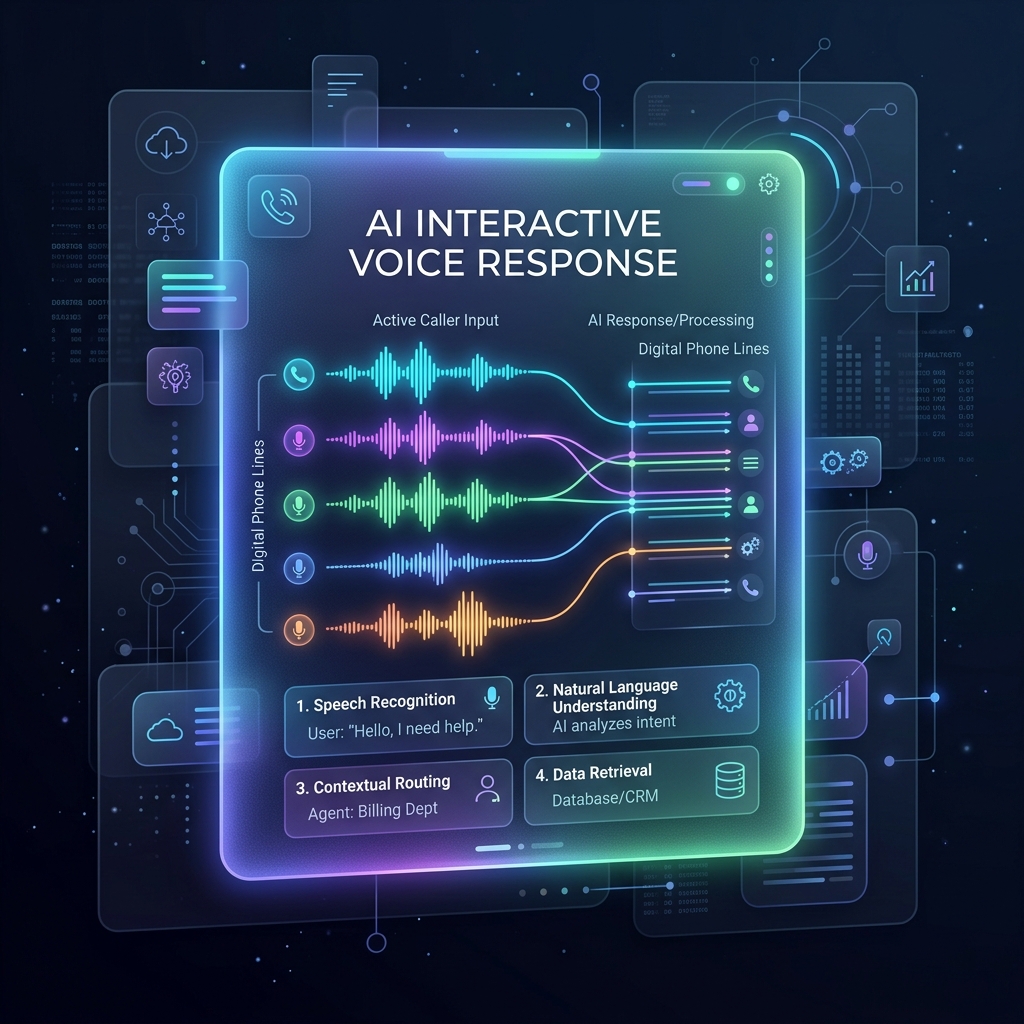
Order confirmation is one of the most practical and high-value use cases for voice automation in e-commerce. Many online businesses still depend on manual agents to call customers and confirm orders before delivery. This process is time-consuming, expensive, and difficult to scale during high order volume.
With the NextGenSwitch Programmable Voice API, businesses can automate order confirmation calls using simple XML call flows, webhooks, DTMF input, speech recognition, and backend integration.
In this guide, we will build two types of order confirmation bots:
- Basic Order Confirmation Bot: Uses pre-recorded audio with
<Play>and keypad input. - Advanced Order Confirmation Bot: Uses
<Say>with speech recognition and DTMF input.
Why Automate Order Confirmation?
Manual order confirmation creates several challenges:
- Agents must call customers one by one
- Fake orders increase delivery costs
- Orders are delayed while waiting for confirmation
- Customer response tracking becomes difficult
- Call center cost increases with order volume
An automated order confirmation bot helps businesses:
- Reduce fake orders
- Improve successful delivery rates
- Save agent time
- Confirm orders faster
- Operate 24/7
- Scale to thousands of calls per day
- Automatically update order status in CRM or e-commerce systems
Common Use Cases
An order confirmation bot can be used for:
- E-commerce order confirmation
- Cash-on-delivery order verification
- Delivery address confirmation
- Appointment confirmation
- Subscription confirmation
- Payment reminder calls
- Product delivery follow-up
- Customer verification before dispatch
This is especially useful for businesses using platforms like:
- Shopify
- WooCommerce
- OpenCart
- Magento
- Laravel-based e-commerce systems
- Node.js applications
- Custom ERP or CRM platforms
Solution Architecture
The flow of a typical automated order confirmation bot is structured as follows:
Customer Places Order
        │
        ▼
E-commerce Platform
        │
        ▼
Backend Application
        │
        ▼
NextGenSwitch Programmable Voice API
        │
        ▼
Customer Receives Call
        │
        ▼
Customer Responds
        │
        ▼
Webhook Receives Result
        │
        ▼
Order Status Updated
The backend application controls the business logic. NextGenSwitch handles the voice call, audio playback, input collection, and webhook callback.
Part 1: Basic Order Confirmation Bot
The basic version is the easiest way to start. It uses:
<Play>to play a pre-recorded audio file.<Gather>to collect keypad input.digitscallback variable to identify the customer’s choice.
This version does not use Text-to-Speech (TTS) or speech recognition.
Basic Bot Call Flow
Call Customer
        │
        ▼
Play Pre-recorded Audio
        │
        ▼
Customer Presses 1 or 2
        │
        ▼
Webhook Receives digits
        │
        ▼
Update Order Status
Basic XML Example Using Play
<Response>
  <Gather action="https://yourdomain.com/order-confirm" method="POST" input="dtmf" numDigits="1" timeout="10">
    <Play>https://yourdomain.com/audio/order-confirmation.mp3</Play>
  </Gather>
  <Play>https://yourdomain.com/audio/no-response.mp3</Play>
</Response>
Basic Audio Script
You can record this message and save it to your server:
- Main Prompt:
https://yourdomain.com/audio/order-confirmation.mp3- Script: “Hello. This is an order confirmation call from ABC Store. Your order total is 1500 taka. Press 1 to confirm your order. Press 2 to cancel your order.”
- Fallback Prompt:
https://yourdomain.com/audio/no-response.mp3- Script: “We did not receive your response. Our support team will contact you shortly.”
Basic Callback Example
If the customer presses 1, NextGenSwitch sends the result to your action URL:
POST /order-confirm
call_id=CALL-12345
digits=1
event_from=8801700000000
event_to=8801800000000
event_call_id=CALL-12345
If the customer presses 2:
POST /order-confirm
call_id=CALL-12345
digits=2
event_from=8801700000000
event_to=8801800000000
event_call_id=CALL-12345
Basic PHP Example
<?php
$callId = $_POST['call_id'] ?? '';
$digits = $_POST['digits'] ?? '';
$from = $_POST['event_from'] ?? '';
$to = $_POST['event_to'] ?? '';
$status = 'FOLLOW_UP';

if ($digits === '1') {
    $status = 'CONFIRMED';
} elseif ($digits === '2') {
    $status = 'CANCELLED';
}

// Example: update your database
// updateOrderStatus($callId, $from, $to, $status);

header('Content-Type: text/xml');

if ($status === 'CONFIRMED') {
    echo '<Response>
  <Play>https://yourdomain.com/audio/order-confirmed.mp3</Play>
</Response>';
} elseif ($status === 'CANCELLED') {
    echo '<Response>
  <Play>https://yourdomain.com/audio/order-cancelled.mp3</Play>
</Response>';
} else {
    echo '<Response>
  <Play>https://yourdomain.com/audio/follow-up-required.mp3</Play>
</Response>';
}
?>
Basic Node.js Example
import express from 'express';
const app = express();

app.use(express.urlencoded({ extended: true }));

app.post('/order-confirm', async (req, res) => {
  const callId = req.body.call_id || '';
  const digits = req.body.digits || '';
  const from = req.body.event_from || '';
  const to = req.body.event_to || '';
  let status = 'FOLLOW_UP';

  if (digits === '1') {
    status = 'CONFIRMED';
  } else if (digits === '2') {
    status = 'CANCELLED';
  }

  // Example: update your database
  // await updateOrderStatus({ callId, from, to, status });

  res.type('text/xml');

  if (status === 'CONFIRMED') {
    return res.send(`
<Response>
  <Play>https://yourdomain.com/audio/order-confirmed.mp3</Play>
</Response>`);
  }
  if (status === 'CANCELLED') {
    return res.send(`
<Response>
  <Play>https://yourdomain.com/audio/order-cancelled.mp3</Play>
</Response>`);
  }
  return res.send(`
<Response>
  <Play>https://yourdomain.com/audio/follow-up-required.mp3</Play>
</Response>`);
});

app.listen(3000, () => {
  console.log('Order confirmation server running on port 3000');
});
Part 2: Advanced Order Confirmation Bot
The advanced version is more flexible and natural for the user. It uses:
<Say>for dynamic Text-to-Speech (TTS).<Gather>for speech and keypad input simultaneously.speech_resultcallback variable to read the customer’s spoken response.digitsas a DTMF fallback.- Backend logic to detect confirmation or cancellation.
This is highly useful when the order details (like customer name, product name, or total amount) are dynamic and specific to each customer.
Advanced Bot Call Flow
Call Customer
        │
        ▼
Say Dynamic Order Details
        │
        ▼
Customer Speaks or Presses Key
        │
        ▼
Webhook Receives speech_result or digits
        │
        ▼
Backend Detects Intent
        │
        ▼
Update Order Status
Advanced XML Example Using Say and Speech Gather
<Response>
  <Gather action="https://yourdomain.com/order-confirm" method="POST" input="speech dtmf" speechTimeout="auto" timeout="10" numDigits="1" transcript="true">
    <Say voice="female">
      Hello. This is an order confirmation call from ABC Store. You ordered one wireless headset. The total amount is 1500 taka. Press 1 or say confirm to confirm your order. Press 2 or say cancel to cancel your order.
    </Say>
  </Gather>
  <Say voice="female">
    We did not receive your response. Our support team will contact you later.
  </Say>
</Response>
Advanced Dynamic XML Example
In a real e-commerce integration, details like product name, price, and customer name are generated dynamically from your database:
<Response>
  <Gather action="https://yourdomain.com/order-confirm?order_id=1001" method="POST" input="speech dtmf" speechTimeout="auto" timeout="10" numDigits="1" transcript="true">
    <Say voice="female">
      Hello John. This is an order confirmation call from ABC Store. You ordered Samsung Wireless Earbuds. Your total amount is 2500 taka. Press 1 or say confirm to confirm your order. Press 2 or say cancel to cancel your order.
    </Say>
  </Gather>
  <Say voice="female">
    We did not receive your response. Our support team will contact you shortly.
  </Say>
</Response>
Gather Callback Variables
When the customer responds, NextGenSwitch sends the following callback parameters to your action URL:
| Variable | Description |
|---|---|
call_id | Current call ID |
digits | DTMF keypad input |
speech_result | Recognized speech text |
confidence | Speech recognition confidence score (0.0 to 1.0) |
voice | Captured voice/audio file path, if available |
rec_path | Internal recording path |
event_from | Caller phone number |
event_to | Destination phone number |
event_call_id | Original call ID |
Callback Payload Examples
Spoken Response Callback
If the customer says: “Yes, please confirm my order.”
POST /order-confirm
call_id=CALL-12345
speech_result=yes please confirm my order
confidence=0.96
event_from=8801700000000
event_to=8801800000000
event_call_id=CALL-12345
Keypad Input (DTMF) Callback
If the customer presses 1:
POST /order-confirm
call_id=CALL-12345
digits=1
event_from=8801700000000
event_to=8801800000000
event_call_id=CALL-12345
Advanced PHP Example Using speech_result
<?php
$callId = $_POST['call_id'] ?? '';
$digits = $_POST['digits'] ?? '';
$speechResult = strtolower($_POST['speech_result'] ?? '');
$confidence = $_POST['confidence'] ?? '';
$from = $_POST['event_from'] ?? '';
$to = $_POST['event_to'] ?? '';
$status = 'FOLLOW_UP';

if ($digits === '1') {
    $status = 'CONFIRMED';
} elseif ($digits === '2') {
    $status = 'CANCELLED';
} elseif (
    str_contains($speechResult, 'confirm') ||
    str_contains($speechResult, 'yes') ||
    str_contains($speechResult, 'okay')
) {
    $status = 'CONFIRMED';
} elseif (
    str_contains($speechResult, 'cancel') ||
    str_contains($speechResult, 'no')
) {
    $status = 'CANCELLED';
}

// Example: save callback data
// updateOrderStatus([
//     'call_id' => $callId,
//     'from' => $from,
//     'to' => $to,
//     'status' => $status,
//     'speech_result' => $speechResult,
//     'confidence' => $confidence
// ]);

header('Content-Type: text/xml');

if ($status === 'CONFIRMED') {
    echo '<Response>
  <Say voice="female">Thank you. Your order has been confirmed.</Say>
</Response>';
} elseif ($status === 'CANCELLED') {
    echo '<Response>
  <Say voice="female">Your cancellation request has been recorded.</Say>
</Response>';
} else {
    echo '<Response>
  <Say voice="female">We could not determine your response. Our support team will contact you shortly.</Say>
</Response>';
}
?>
Advanced Node.js Example Using speech_result
import express from 'express';
const app = express();

app.use(express.urlencoded({ extended: true }));

app.post('/order-confirm', async (req, res) => {
  const callId = req.body.call_id || '';
  const digits = req.body.digits || '';
  const speechResult = (req.body.speech_result || '').toLowerCase();
  const confidence = req.body.confidence || '';
  const from = req.body.event_from || '';
  const to = req.body.event_to || '';
  let status = 'FOLLOW_UP';

  if (digits === '1') {
    status = 'CONFIRMED';
  } else if (digits === '2') {
    status = 'CANCELLED';
  } else if (
    speechResult.includes('confirm') ||
    speechResult.includes('yes') ||
    speechResult.includes('okay')
  ) {
    status = 'CONFIRMED';
  } else if (
    speechResult.includes('cancel') ||
    speechResult.includes('no')
  ) {
    status = 'CANCELLED';
  }

  console.log({
    callId,
    from,
    to,
    digits,
    speechResult,
    confidence,
    status
  });

  // Example: update your database
  // await updateOrderStatus({
  //   callId,
  //   from,
  //   to,
  //   status,
  //   speechResult,
  //   confidence
  // });

  res.type('text/xml');

  if (status === 'CONFIRMED') {
    return res.send(`
<Response>
  <Say voice="female">Thank you. Your order has been confirmed.</Say>
</Response>`);
  }
  if (status === 'CANCELLED') {
    return res.send(`
<Response>
  <Say voice="female">Your cancellation request has been recorded.</Say>
</Response>`);
  }
  return res.send(`
<Response>
  <Say voice="female">We could not determine your response. Our support team will contact you shortly.</Say>
</Response>`);
});

app.listen(3000, () => {
  console.log('Advanced order confirmation server running on port 3000');
});
How to Use speech_result
The speech_result field contains the raw transcript of customer voice input. You should check for positive and negative intents inside your webhook logic.
Example Intent Mappings
| Customer Says | speech_result | Suggested Status |
|---|---|---|
| ”Yes” | yes | Confirmed |
| ”Confirm” | confirm | Confirmed |
| ”Please confirm my order” | please confirm my order | Confirmed |
| ”Okay” | okay | Confirmed |
| ”Cancel” | cancel | Cancelled |
| ”No” | no | Cancelled |
| ”I want to change my address” | i want to change my address | Follow Up |
| ”Call me later” | call me later | Follow Up |
Using AI for Better Intent Detection
Simple keyword matching works well for basic scenarios, but real-world voice responses can be complex. Customers might say:
- “Can you deliver it tomorrow instead?”
- “I ordered this by mistake.”
- “Please confirm it, but change my delivery address.”
In these cases, you can forward speech_result to a Large Language Model (LLM) or Natural Language Processing (NLP) classifier to categorize customer intent.
For example, an AI analysis of the input might return:
{
  "intent": "address_change",
  "status": "FOLLOW_UP",
  "summary": "Customer wants to confirm the order but change the delivery address."
}
By identifying categories like confirm, cancel, address_change, delivery_question, payment_question, call_later, or human_agent_required, you can make your voice automation flows much more robust and customer-friendly.
Basic vs Advanced Bot Comparison
| Feature | Basic Bot | Advanced Bot |
|---|---|---|
| Audio Method | <Play> | <Say> |
| Input Method | DTMF only | Speech + DTMF |
| Dynamic Order Details | Limited | Yes |
| Uses digits | Yes | Yes |
| Uses speech_result | No | Yes |
| Best For | Simple confirmation | AI-ready natural confirmation |
| Deployment Complexity | Low | Medium |
| Customer Experience | Standard keypad interaction | Conversational & more natural |
Best Practices
To build a reliable order confirmation bot:
- Keep confirmation messages short and to the point.
- Mention the business name clearly.
- Instruct customers exactly what to press or say.
- Always include a DTMF fallback for speech-to-text workflows.
- Log every incoming webhook payload for troubleshooting.
- Save the
call_idwith the corresponding order record. - Store
speech_resultandconfidencescores for auditing. - Use fallback messages inside
<Gather>to handle no-responses. - Send unclear or complex responses to human follow-up queues.
- Avoid using unsupported
<Gather>attributes.
Example Database Schema
You may want to store these fields in your database for tracking voice confirmation status:
| Field | Example Value |
|---|---|
order_id | 1001 |
customer_phone | 8801700000000 |
call_id | CALL-12345 |
digits | 1 |
speech_result | yes please confirm |
confidence | 0.96 |
status | CONFIRMED |
created_at | 2026-06-11 10:30:00 |
Final Workflow Example
Here is how the complete business flow looks once integrated:
New Order Created
        │
        ▼
Generate Call XML
        │
        ▼
NextGenSwitch Calls Customer
        │
        ▼
Customer Presses Key or Speaks
        │
        ▼
Webhook Receives digits or speech_result
        │
        ▼
Backend Updates Order Status
        │
        ▼
Warehouse Receives Confirmed Order
Conclusion
NextGenSwitch Programmable Voice API makes it easy to build automated order confirmation systems using simple XML call flows and standard backend applications.
- The Basic Order Confirmation Bot is perfect for businesses that want a simple and reliable solution using pre-recorded audio and keypad input.
- The Advanced Order Confirmation Bot is better for businesses that need dynamic order details, speech recognition, and AI-powered response handling.
By combining <Play>, <Say>, <Gather>, digits, and speech_result, you can automate order verification, reduce fake orders, improve delivery success, and scale customer communication efficiently.
For further reference, check out the NextGenSwitch Programmable Voice API documentation to customize these call flows to suit your specific business logic.